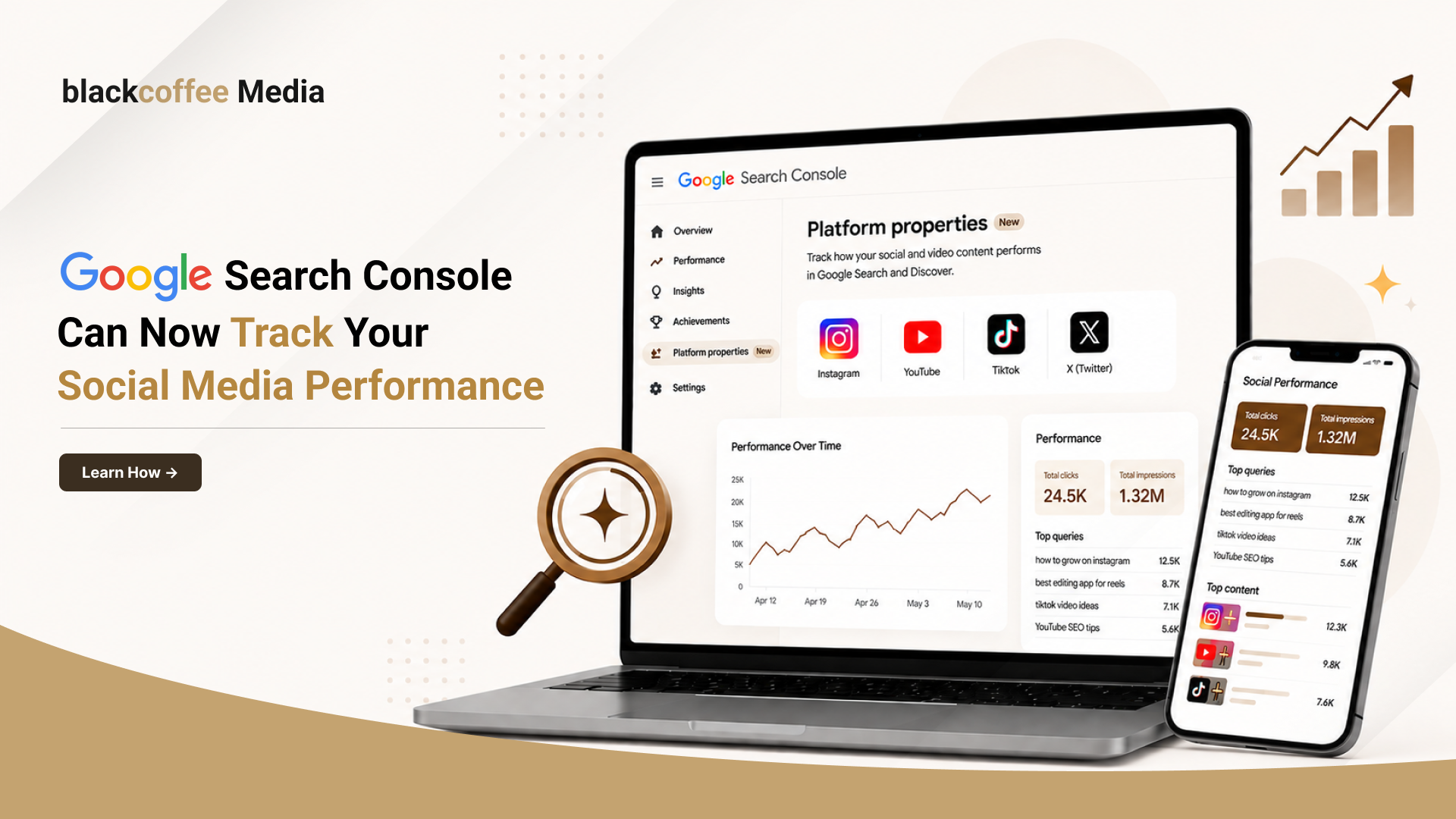
Google Search Console has always been the go-to tool for understanding how your website performs in Google Search. But that’s changing.
With the introduction of Google Search Console Platform Properties, businesses, creators, and marketers can now track how their Instagram, TikTok, X (formerly Twitter), and YouTube content performs on Google Search, all from within Search Console. Initially announced earlier this month, Google confirmed the global rollout on July 29, 2026, along with a dedicated help guide for setup and best practices. (Google for Developers)
If your brand invests in social content, this is one update you shouldn’t ignore.
What are Platform Properties in Google Search Console?
Platform Properties are a new property type in Google Search Console that lets you monitor how your social media content appears and performs on Google Search.
Instead of tracking only websites, Search Console now supports:
- TikTok
- X
- YouTube
Unlike native platform analytics, these reports focus only on how users discover your content through Google Search, Discover, and Google News, not what happens inside the social platform itself. (Google Help)
In short: Platform Properties show how Google Search contributes to your social media visibility.
Why does this update matter?
Today’s customer journey rarely starts and ends on a website.
Someone might:
- Search on Google
- Discover your YouTube video
- Watch an Instagram Reel
- Visit your TikTok profile
- Convert later on your website
Until now, there was no easy way to measure that journey inside the Search Console.
With this Google Search Console new feature (2026), brands can finally understand how Google Search helps their social content get discovered. (Google for Developers)
How to add a Platform Property in Google Search Console
If you’re wondering “How do I add a Platform Property in Google Search Console?”, here’s the process:
- Open Google Search Console.
- Click Add Property.
- Select Platform Property.
- Choose your platform (Instagram, TikTok, X, or YouTube).
- Complete the ownership verification process.
- Wait a few days for performance data to populate.
If you manage multiple accounts, you’ll need to add each one separately. (Google Help)
What can you actually do with Platform Properties?
Google lists several use cases, but here’s what they mean in practice.
1. Understand what your audience is searching for
Instead of guessing what topics are working, you’ll see the search queries that lead users to your social content.
That insight can influence:
- Future content ideas
- SEO strategy
- Video topics
- Instagram Reels
- Blog content
2. Spot performance spikes early
Did one Reel suddenly receive more Google visibility?
Did an older YouTube video start ranking again?
Platform Properties make it easier to identify unexpected traffic spikes, helping you understand why content performs instead of discovering it weeks later.
- Compare performance across platforms
Not every format performs equally in Google Search.
You may find:
- YouTube drives the highest search traffic.
- Instagram performs better for branded searches.
- TikTok attracts informational searches.
These insights help marketers decide where to invest more time and budget.
- Find opportunities to revive older content
Sometimes content doesn’t need to be recreated, it needs to be refreshed.
If an older video or social post continues receiving impressions but has a declining click-through rate, updating its title, thumbnail, caption, or linked content could improve performance.
- Identify which content formats Google prefers
Should you publish another blog, create a Reel, or record a YouTube video?
Platform Properties help answer that with actual search data instead of assumptions.
Over time, you’ll understand which formats consistently generate visibility from Google Search.
Website analytics vs Platform Properties
Think of these as complementary, not competing.
Website Properties answer:
- Which pages rank?
- Which keywords drive website traffic?
Platform Properties answer:
- Which Instagram posts appear in Google?
- Which YouTube videos attract searchers?
- Which TikTok content gets discovered through Google?
Together, they provide a much clearer picture of your brand’s overall search presence.
Who should set this up first?
If you already have a website
Set up Platform Properties alongside your existing Search Console account.
You’ll gain a more complete view of how your website and social channels work together to drive visibility.
If you’re a creator without a website
This feature is equally valuable.
For the first time, creators who primarily publish on Instagram, TikTok, YouTube, or X can use Google Search Console to measure how people discover their content through Google Search, even without owning a website. (Google for Developers)
Final thoughts
Search is no longer limited to websites.
Whether someone lands on your blog, discovers your YouTube channel, or finds your Instagram profile through Google, every touchpoint contributes to your brand’s visibility.
The introduction of Google Search Console Platform Properties reflects this shift, giving marketers and creators a single place to understand how their content performs across the web.
If your business already uses Search Console, adding Platform Properties is a quick win. And if your brand relies heavily on social content, now is the right time to start measuring how Google Search contributes to its growth.
Frequently Asked Questions
What is a Platform Property in Google Search Console?
A Platform Property is a new Search Console property type that lets you monitor how your Instagram, TikTok, X, or YouTube content performs in Google Search, Discover, and Google News. (Google Help)
Is Google Search Console Platform Properties available for everyone?
Google confirmed the global rollout on July 29, 2026, although some accounts may still receive access gradually. (Reddit)
Can I track Instagram or TikTok performance in Google Search?
Yes. Once your account is verified as a Platform Property, you’ll be able to view clicks, impressions, search queries, traffic trends, and top-performing content from Google Search. (Google Help)